

Getting paid with Stripe
Whose account is it?
Section titled “Whose account is it?”Yours. Picstome connects to a Stripe account that belongs to you, through Stripe Connect. The client pays with a card, Stripe processes the charge, and the money settles into your bank account on your normal Stripe schedule.
Picstome never holds the money and never takes a cut of the payment. Your Stripe fees are between you and Stripe.
The onboarding is not optional
Section titled “The onboarding is not optional”Stripe has to verify who receives the money: identity, address, bank account and, depending on the country, tax data. That is the onboarding. It happens on Stripe’s pages, not in Picstome, and it takes a few minutes.
Until it is complete, you can send invoices and contracts but you cannot take card payments. The Stripe screen shows the current state and whether something is missing.
If you leave the onboarding halfway, come back to the same screen: the state is read from Stripe every time the page loads, so finishing it in another tab is detected.
Where payments can happen
Section titled “Where payments can happen”Once connected:
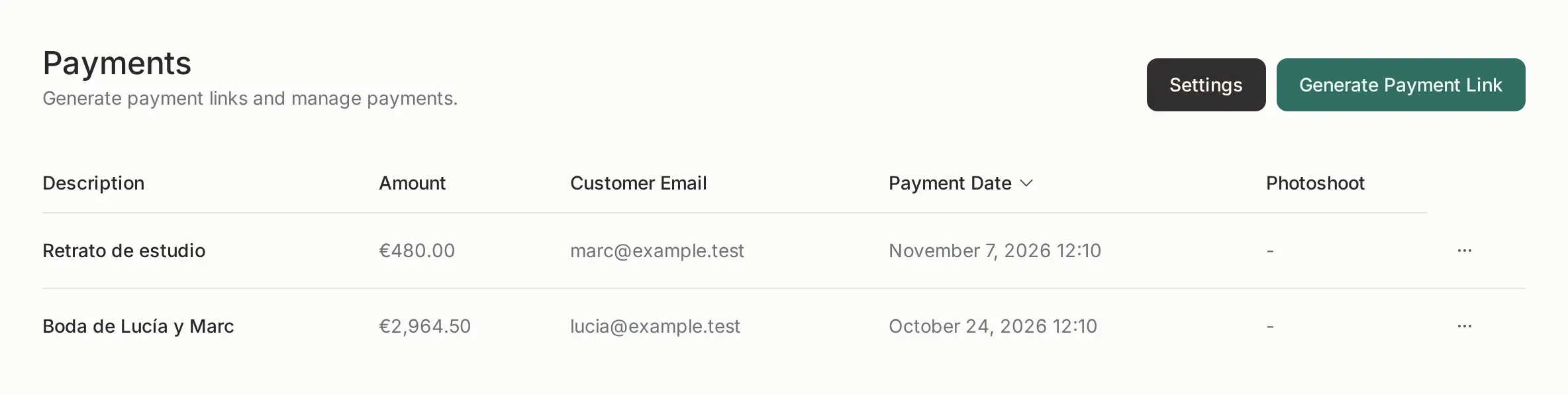
- Payment links: you set an amount and a description and send the link.
- Public profile: the accept payments button appears on your profile page, if you enable it.
- Invoices: an invoice can be paid by card when Stripe is connected.
The client pays on a Stripe-hosted page with your logo. No account on Picstome.
Test mode
Section titled “Test mode”The Stripe screen has a test mode switch. It uses separate keys and a test account, and no real money moves.
In test mode use the card 4242 4242 4242 4242, any future expiry and any CVC. It is the safest way to check that the button, the invoice and the confirmation email work before showing it to a client.
The test account still requires a completed (fake) onboarding. It does not affect your live account.
The monthly limit
Section titled “The monthly limit”The free plan includes one completed payment per month. An abandoned checkout does not count. When the limit is reached, the pay button is hidden for the client and they see a neutral message, never your billing details.
Disconnecting
Section titled “Disconnecting”Disconnecting removes the Stripe account from Picstome for the current mode (test or live). Payments already made stay in Stripe and in your panel. You can reconnect at any time.
The customer’s card is never stored in Picstome: there is nothing to leak.