

Session price calculator
What it answers
Section titled “What it answers”Two questions that are rarely answered with numbers: how much to charge for a session and how much you are really earning per hour once costs, gear and time are counted.
The calculator does not guess a market price. It makes your studio’s arithmetic explicit so you can see whether the price in your head covers what the session costs to make.
How to use it
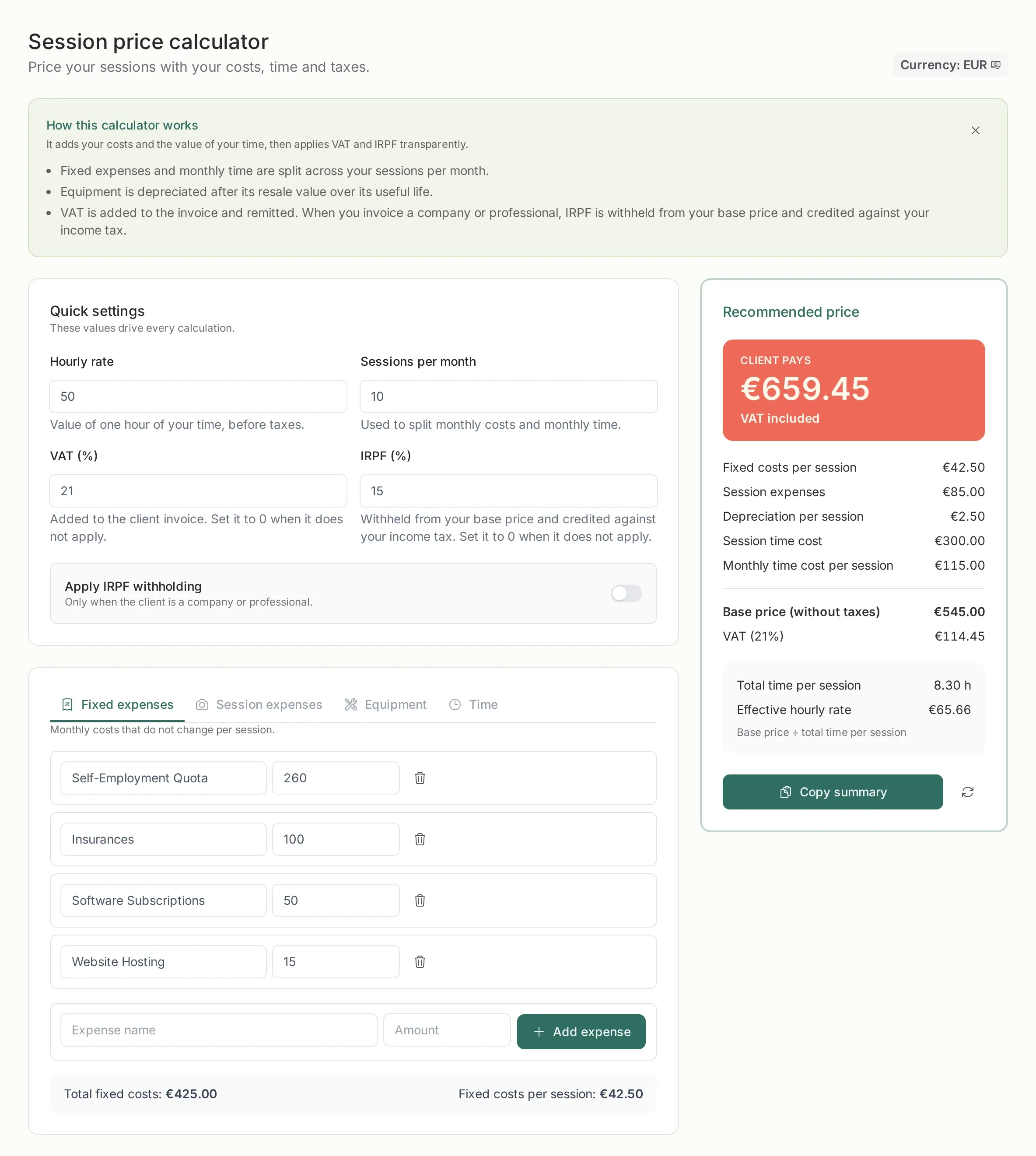
Section titled “How to use it”- Set the hourly rate you want to earn and how many sessions per month you actually shoot.
- Fill in the four blocks: fixed expenses, session expenses, equipment and time.
- Read the recommended price and the effective rate in the right-hand panel.
- If the number does not work, change one variable and watch the result move.
Everything saves as you type. There is no save button.
Quick settings
Section titled “Quick settings”- Hourly rate: the value you put on an hour of your time, before taxes. It is not what you charge: it is what you want to keep per hour worked.
- Sessions per month: used to spread fixed costs and monthly hours across sessions. If you shoot ten sessions, each one carries a tenth of the rent and the admin work.
- VAT: added to the client invoice. Set it to 0 when you are exempt.
- IRPF: withheld from the base price and credited against your income tax. The switch only applies when you invoice a company or a professional.
The four blocks
Section titled “The four blocks”Fixed expenses
Section titled “Fixed expenses”Rent, self-employment quota, insurance, software, hosting, general depreciation, your salary. They are monthly and do not change from one session to another; the calculator divides them across the sessions in the month.
Session expenses
Section titled “Session expenses”What you only pay when there is a session: travel, an assistant, a second shooter, props, a one-off gear rental. They are not spread out: they are added in full to each session.
Equipment
Section titled “Equipment”What you bought for that kind of session. The calculator subtracts the resale value, spreads the rest over its useful life and works out how much each session carries. A €3,000 camera does not disappear from the maths.
Not just the shoot. It includes editing, culling, the admin for that session and the tasks you do every month (bookkeeping, social media, sales). Monthly hours are spread across sessions, just like fixed costs.
The result
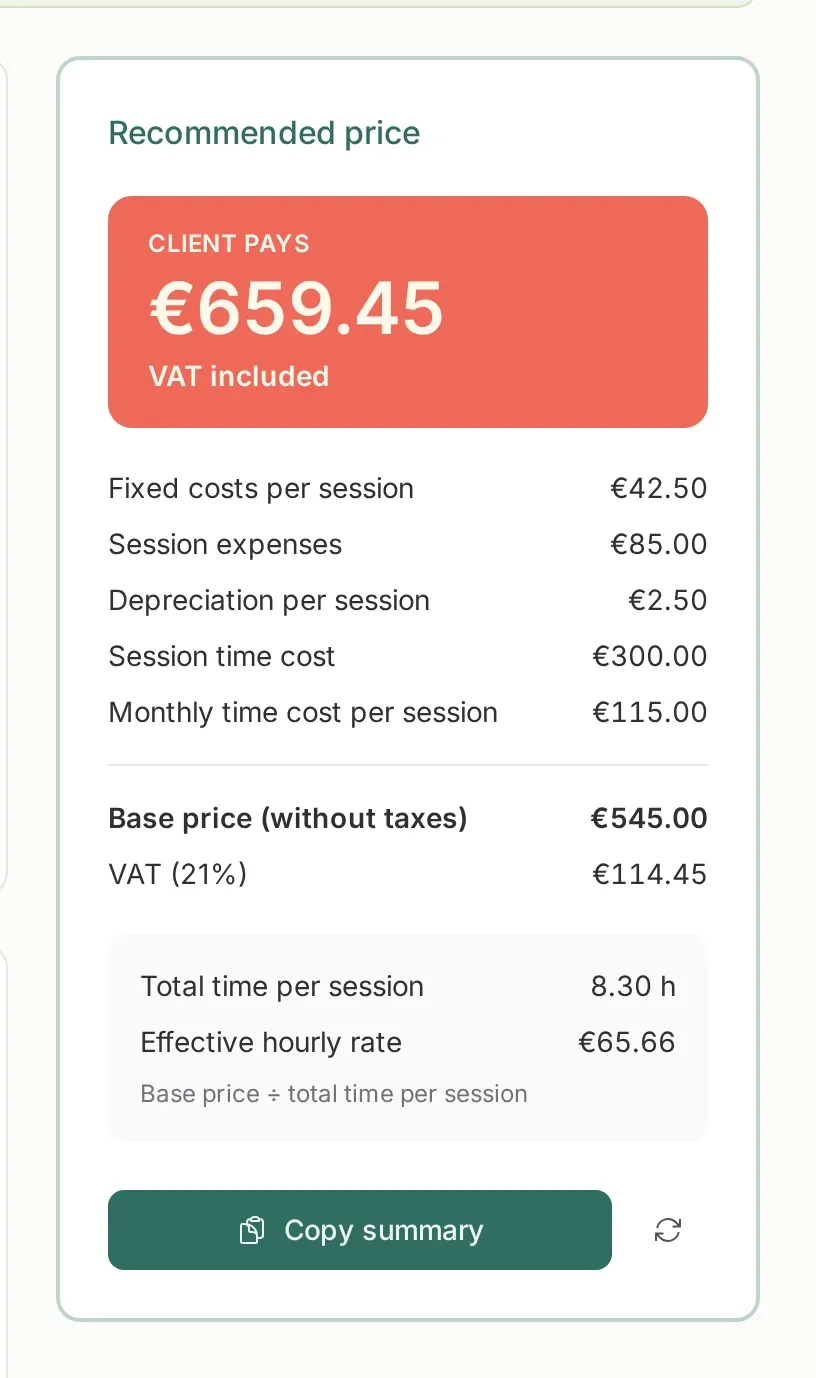
Section titled “The result”The right-hand panel separates four things that usually get mixed together:
- What the client pays, VAT included or after IRPF withholding.
- What the session costs: fixed costs per session, session expenses, depreciation and the cost of your time.
- The base price before taxes and the VAT.
- The effective hourly rate: the base price divided by the total time the session takes.
If the effective rate falls below the rate you set, the price is not covering your time. Now you can see which part weighs the most and adjust it.
You can copy the summary to paste it into a proposal or a note, and reset the calculator to its defaults whenever you want to start over.
Saved per studio
Section titled “Saved per studio”The values belong to the team, not your user. If someone else in the studio opens the calculator, they see the same numbers. That keeps every member from calculating with different costs.
Related
Section titled “Related”- Plans and storage — the calculator and the black screen are included in every plan.
- Invoices in a nutshell — how to turn the price into an invoice.
- Picstome Rater — favorites as stars in your files.
- Photo Stats — the gear and settings you really use.