

Portfolio
A selection, not a dump
Section titled “A selection, not a dump”The portfolio does not show every gallery you have. It shows only the ones you add on purpose. That is the difference between delivering a shoot and showing the work you want to be hired for.
Adding a gallery makes it public and takes it out of the shared-gallery expiry. Removing it makes it private, hides it from the page and gives it an expiry date again.
Add, remove and reorder
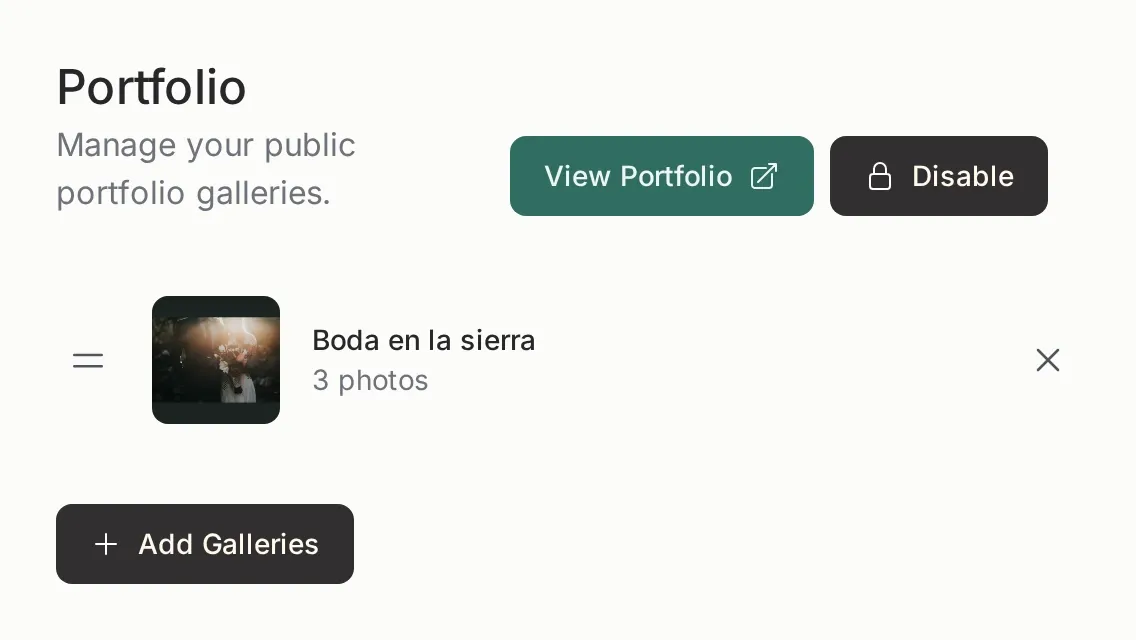
Section titled “Add, remove and reorder”- Add: the Add galleries button opens a list of private galleries. Pick one and it appears in the portfolio.
- Reorder: drag it by the handle on the left. That is the order visitors see.
- Remove: the × on the right takes it out of the portfolio. It does not delete the gallery or the photos.
Enable and disable
Section titled “Enable and disable”The Disable button hides the public portfolio page without deleting anything. The galleries stay in your panel and the public profile keeps working with its links.
When you want to show it again, press Enable. You do not need to add the galleries again: they are still associated.
Shared gallery vs portfolio gallery
Section titled “Shared gallery vs portfolio gallery”| Shared gallery | Portfolio gallery | |
|---|---|---|
| Who sees it | The client with the link | Anyone |
| Password | Possible | Not applicable |
| What it is for | Delivering a shoot | Showing your work |
| Expiry | Depends on the plan | Never expires |
| Downloads | Can be enabled or disabled | Not offered |
A gallery can be shared and in the portfolio at the same time. They are two different things: sharing creates a private link; publishing adds it to the open page.
What the visitor sees
Section titled “What the visitor sees”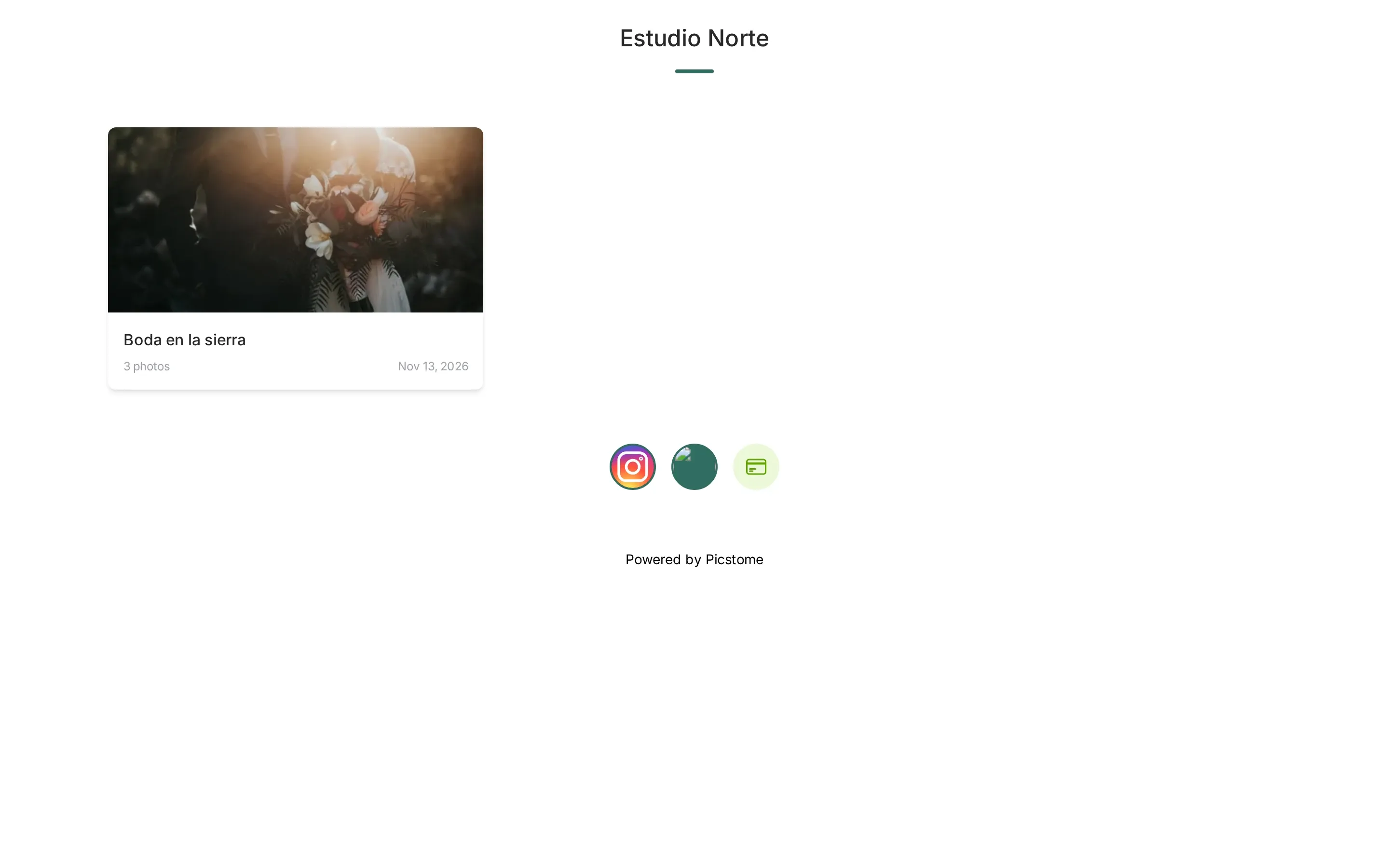
The portfolio lives at /@yourhandle/portfolio. The View portfolio button on the management screen opens it in another tab.
Related
Section titled “Related”- Public profile — the page that leads to the portfolio.
- Sharing with clients — the private link for a gallery.
- Archiving a photo — how to hide photos without deleting them.