

File versions
The problem it solves
Section titled “The problem it solves”You deliver a gallery, the client asks for a photo with a warmer edit, and you upload IMG_2043.jpg again. Without versions, the original is gone and you cannot show what changed.
With versions, the file you already had becomes a historical version and the new upload becomes the current one. The gallery keeps a stack per photo.
How the same photo is recognized
Section titled “How the same photo is recognized”Version matching uses the file name, not the folder:
- Case does not matter:
IMG_0001.JPGandimg_0001.jpegare the same photo. - The extension does not matter for images:
IMG_0001.JPG,IMG_0001.jpegandIMG_0001.CR3all match. - Videos and PDFs use their own families, so a video and a photo with the same name stay separate.
Everything else is treated as a new photo.
What the client sees
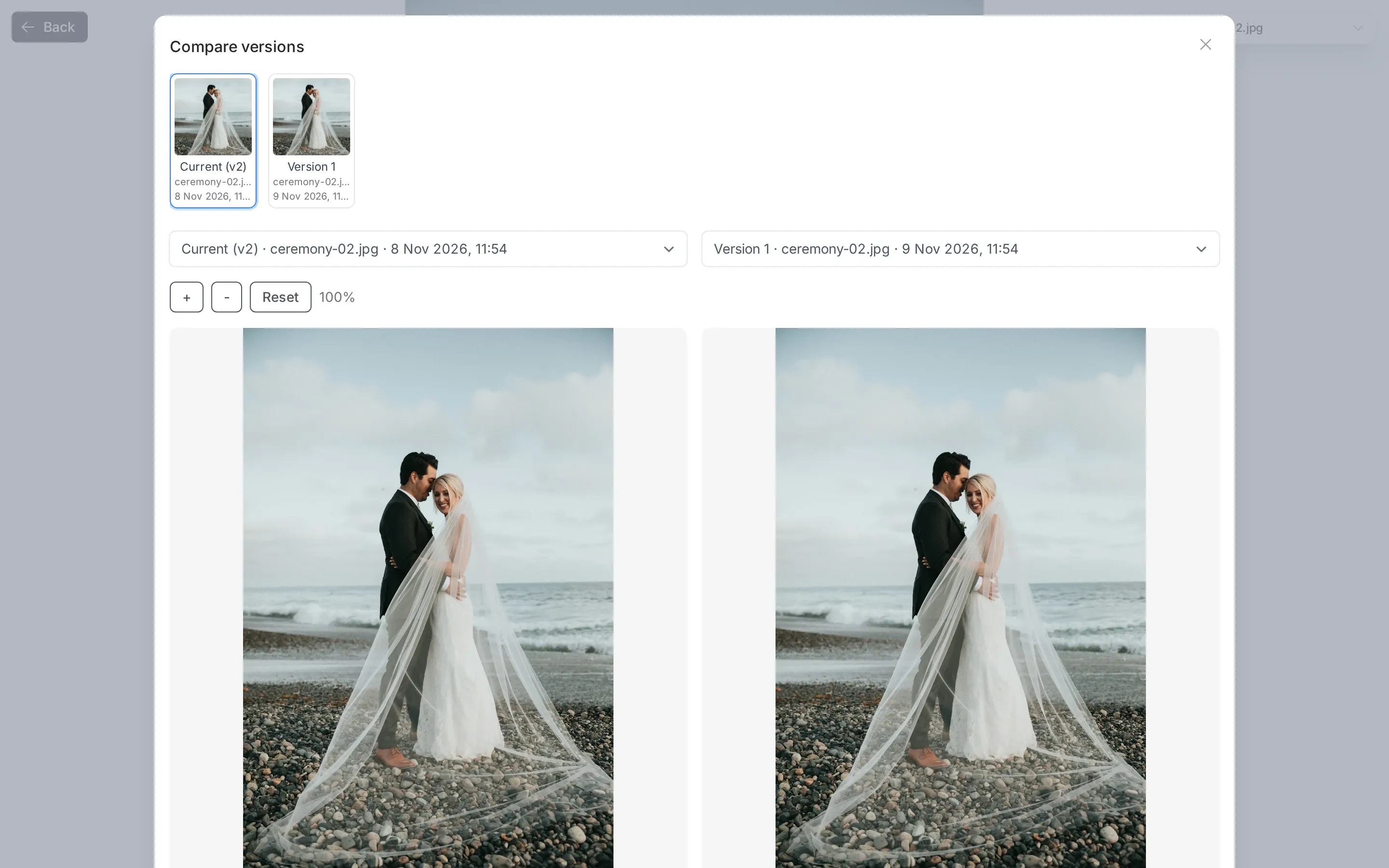
Section titled “What the client sees”If you enabled Visitors can view and compare versions when sharing, the shared page shows a version number and a compare view. The client can look at the old and the new side by side without downloading anything.
If the switch is off, the client sees the current version only. The old versions still exist for you.
What a version is not
Section titled “What a version is not”- Not a backup of your disk. The versions live in Picstome’s storage and count against your plan.
- Not an undo history for every edit. A version is created when you upload a file with a matching name. Renaming a file and uploading it again creates a new photo instead.
Deleting versions
Section titled “Deleting versions”From the photo detail you can delete an individual version permanently. The current version cannot be deleted that way; delete the photo if you want it gone.
When you archive a photo, all its versions are hidden from clients at once.
Good practice
Section titled “Good practice”Keep the same file name when you send a corrected edit. That is the whole trick: it tells Picstome “this is the same photo, better”. If your editing software renames exports, rename them back before uploading.