

Culling
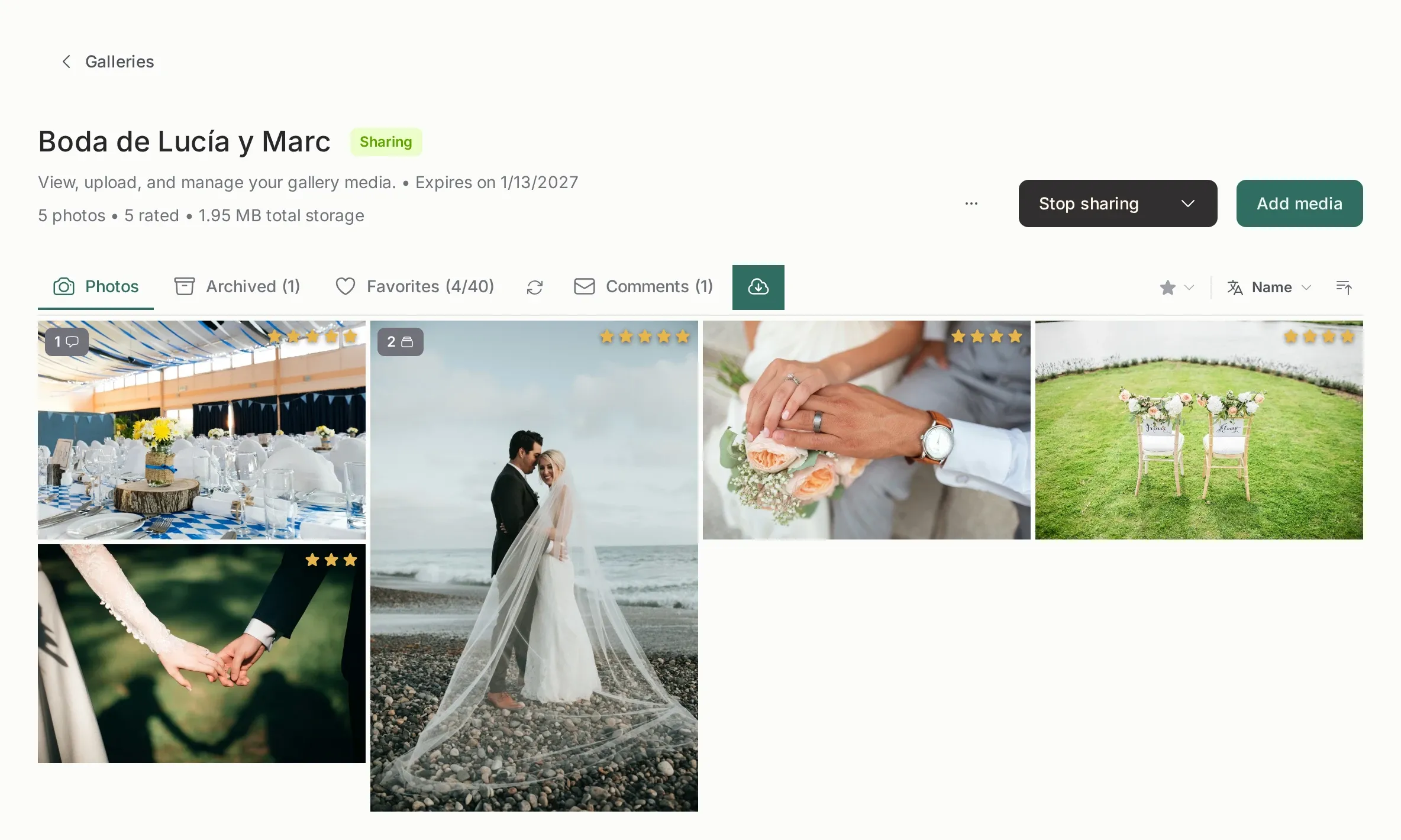
Culling is the pass you make before the client sees anything: you look at every photo, decide which ones are worth keeping, and remove the rest from view. In Picstome it all happens inside the gallery, with the keyboard, and nothing you do here is visible to the client.
What the client sees
Section titled “What the client sees”Nothing, unless you want them to. Your stars, your ratings and your filters exist only in your panel. The client sees the photos you left visible, and the hearts they marked themselves.
| Your tools | Visible to the client |
|---|---|
| 1–5 stars | Never |
| Rating filter and sorting | Never |
| Archive | No: the photo disappears from their gallery |
| Heart | Yes, it is the same field as their selection |
Culling, in four steps
Section titled “Culling, in four steps”- Open the gallery and press the first photo. The viewer fills the screen and the arrow keys walk the gallery in the same order you see in the grid.
- Rate while you look.
1to5rate and jump to the next photo.0clears. You never touch the mouse. - Filter what is left. Show only your four and five stars, or only the client’s favorites, or only what is not archived yet.
- Archive the rest. Archived photos leave the client’s gallery and the ZIP download, but the files stay on disk.
The shortcut sheet
Section titled “The shortcut sheet”These work in the photo viewer, wherever you are in the gallery.
| Key | What it does |
|---|---|
→ / ← |
Next / previous photo in the current filter |
1–5 |
Set the rating and move on |
0 |
Clear the rating and the heart |
F |
Heart or un-heart the photo |
A |
Archive or restore the photo |
Delete |
Ask to delete the photo for good |
Ratings and hearts are the same scale for the client, which is explained in Rate and heart. If you want the full list of what each gesture means, that is the page.
When the gallery is huge
Section titled “When the gallery is huge”A wedding of 3,000 photos is not culled in one sitting. Filter by rating, sort by name or date, close the browser and come back: the stars are saved the moment you press the key, not when you finish.
The order in the viewer always matches the order on screen. If you sorted by rating, the arrow keys follow that order; if you filtered to four stars, pressing → only walks four-star photos.
What comes next
Section titled “What comes next”- Rate and heart: the stars, the keyboard and the filters built on top of them.
- Archive a photo: the difference between hiding and deleting.
- The client link: what happens on the other side once you are done.