

Watermark
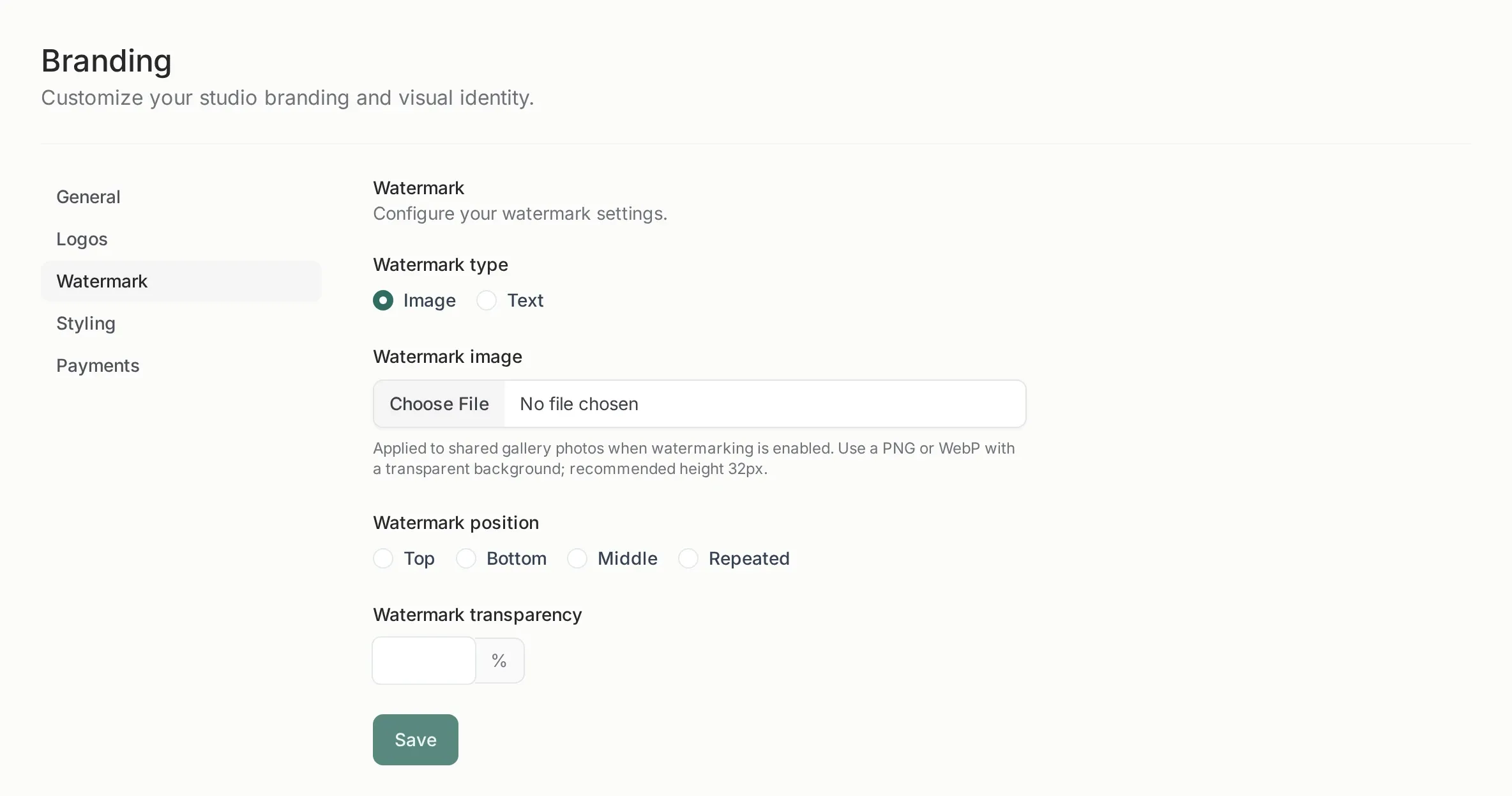
Where it appears
Section titled “Where it appears”The watermark is applied to the photos of shared galleries when the Watermark switch is on for that gallery. It is not applied to:
- your own gallery view in the panel;
- the portfolio;
- the downloaded originals, if downloads are allowed.
The files on disk are not rewritten: the mark is part of the delivered image, which is why it never damages your original.
Two kinds of watermark
Section titled “Two kinds of watermark”| Type | Best for | Notes |
|---|---|---|
| Image | A logo | Use PNG or WebP with a transparent background |
| Text | A name or © studio |
White text with a subtle shadow |
For a logo, 32 px of height is the recommended size. It is displayed small on purpose: it should identify the photo, not cover it.
Position and opacity
Section titled “Position and opacity”- Position: top, bottom, middle or repeated across the image.
- Opacity: from 0 to 100. Around 60–70 keeps it visible without ruining the photo.
The repeated position is for maximum protection on previews: it makes the photo hard to crop out. For a client delivery, a single corner is usually enough.
Per gallery, not global
Section titled “Per gallery, not global”The watermark settings define what the mark is. Whether it is applied is a switch on each gallery’s share options, so you can deliver a wedding clean and a concert preview watermarked from the same studio.
If you watermark a gallery that is already shared, the client sees the new version the next time the page loads. There is no second gallery to send.
What it is not
Section titled “What it is not”- Not a security measure. A determined person can crop or retouch a watermark. It is a deterrent and a signature.
- Not applied to videos by the same mechanism in every case; check the result of a video before sending the gallery.
- Not reversible per photo. Turning the switch off removes it from the delivered images, but a screenshot already taken keeps it.
When you do not want it
Section titled “When you do not want it”- Portfolio galleries, where you want the work to look clean.
- Deliveries to a client who paid for the images.
- Any gallery where the mark would cover the subject.
That is why it is off by default on new galleries unless you set it as your default in the share options.