

Rate and heart

The five stars, in practice
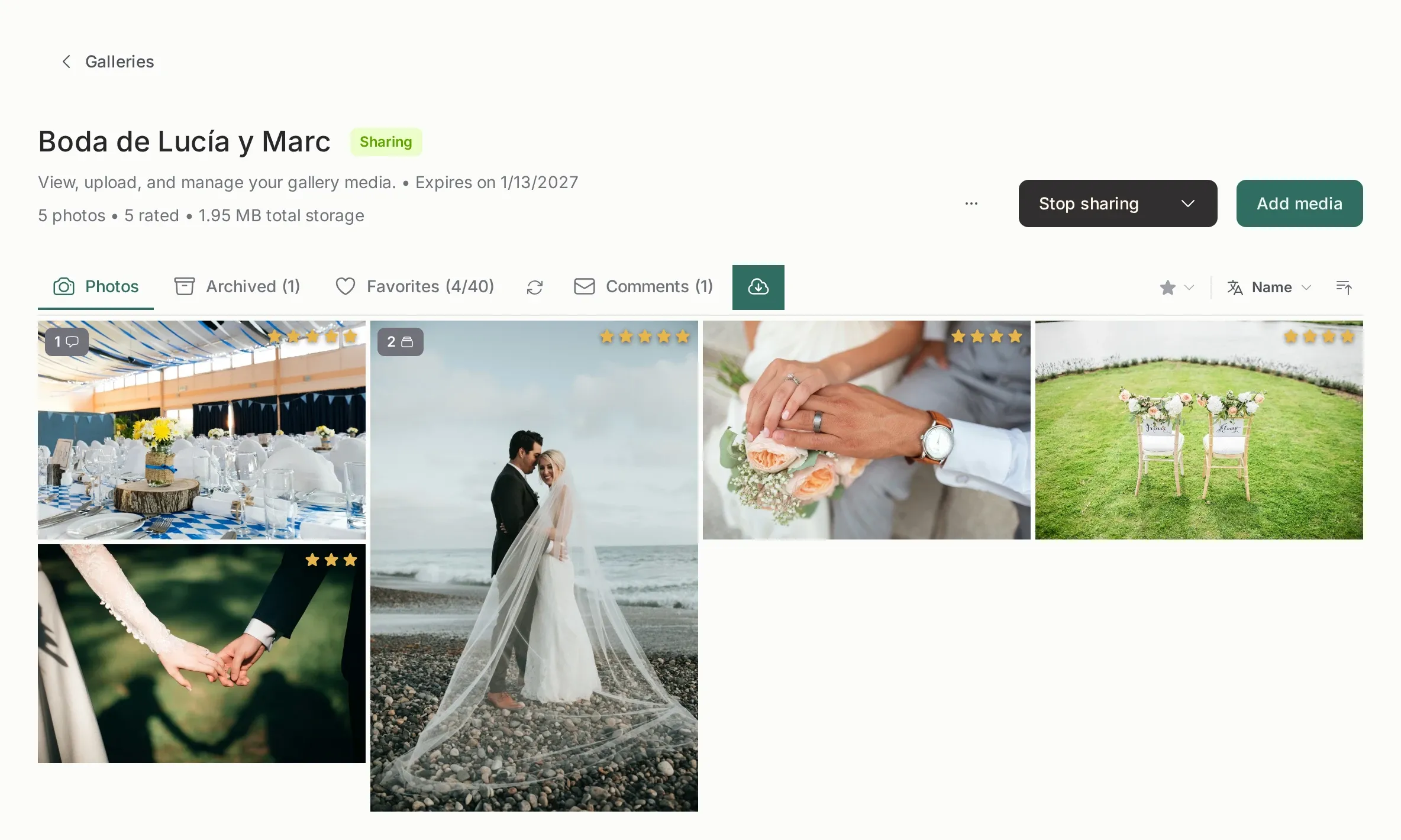
Section titled “The five stars, in practice”Each photo has a rating from 1 to 5, or none. A rating is a decision about the photo, not a score out of ten: most culling systems work with three levels, and five stars exists so you can mark the exceptional ones.
A scale that works:
| Stars | Meaning |
|---|---|
| 5 | Client’s pick, or my favorite |
| 4 | Delivers, keep it |
| 3 | Doubt: worth a second look |
| 1–2 | Reject |
| None | Not reviewed yet |
The important part is the none: photos you have not opened stay unrated, so the filter “no rating” is your to-do list.
Keyboard first
Section titled “Keyboard first”Open any photo in the viewer and work without the mouse:
1to5set the rating, flash a short confirmation and jump to the next photo. Culling is a rhythm, not a form.0clears both the rating and the heart, and stays on the photo.Fhearts or un-hearts the current photo.→and←walk the gallery in the order shown on screen.
Re-pressing the star you already have does nothing on purpose, so a double tap while culling cannot un-heart a photo by accident. 0 is the only clear gesture.
Heart and stars are the same field
Section titled “Heart and stars are the same field”This surprises everyone, so it is worth saying clearly:
| You do | Rating | Heart |
|---|---|---|
Press 1–4 |
Set | Untouched |
Press 5 |
Set to 5 | Turns on |
Press 0 |
Cleared | Turns off |
Heart on (F) |
Set to 5 | On |
| Heart off | Cleared | Off |
Four stars and a heart can coexist: “good, but not the chosen one”. Five stars and a heart cannot be separated, because they are literally the same value in the database.
That is also why the client’s heart shows as five stars for you: their selection is the strongest signal, and it should sit at the top of your scale.
Filters and sorting
Section titled “Filters and sorting”The filter bar sits next to the tabs, on the same sticky row. It works on the whole gallery, and the viewer follows exactly the list you built.
By rating. The filter is exact: three stars shows only three-star photos. Comparisons (“three or more”) were removed because they were hard to read at a glance.
By favorites. The Favorites tab is a shortcut that applies the favorites filter to the same grid, so you can jump between “everything” and “the client’s picks” without losing the sort.
Sort by name, date added, rating, favorites, file size or number of versions. Unrated and un-hearted photos always sort last, whatever the direction: an empty value is never at the top of a culling pass.
Archiving versus rating
Section titled “Archiving versus rating”They look similar and are not:
- Rating is a note to yourself. The photo stays visible to the client.
- Archiving hides the photo from the client, the ZIP and the portfolio. The file stays on disk.
A usual pass: rate everything, filter to your three stars or lower, archive the rejects, and leave the four and five stars visible for the client.
What the client receives
Section titled “What the client receives”Nothing about this. The shared page has hearts and only hearts: no stars, no rating filter, and no rating value in the API payload. If the client hearts a photo, it lands as five stars for you, and that is the only direction the two systems touch.
Keep going
Section titled “Keep going”- Culling overview: the four-step pass.
- Archive a photo: hiding without deleting.
- Favorites and the selection limit: the client’s side of the same idea.