

Invoices in a nutshell
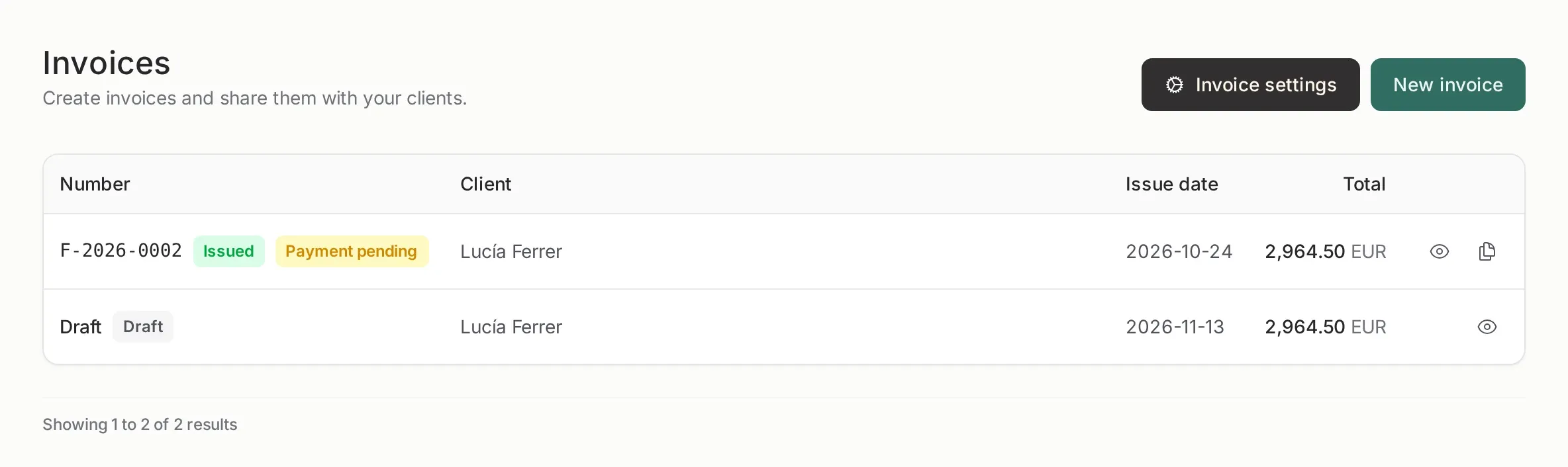
How to create an invoice
Section titled “How to create an invoice”Three steps. Until the last one, what you have is a draft and it consumes no number.
-
Client. Search a record by name or tax ID, or create a new one. If the client is missing fiscal data, the app warns you before letting you continue.
-
Line items. Add a description, quantity and price. You can add or remove lines; the total recalculates by itself.
-
Review and issue. Choose the invoice type, dates, VAT, IRPF withholding, discount, payment terms and notes. Check the number and press Issue.
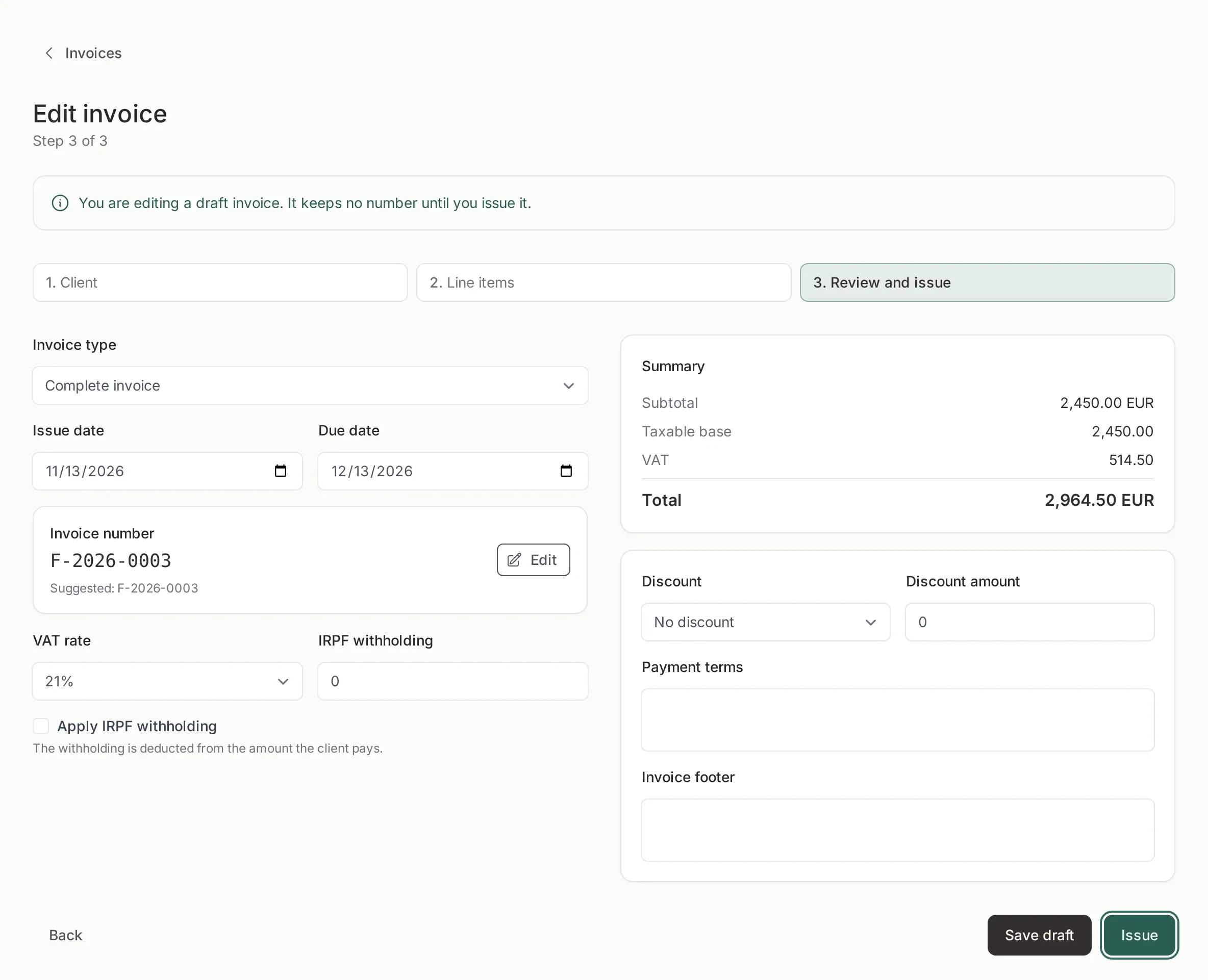
The number on step 3 is a suggestion. You can change it once, when issuing, to match a format you already use (INV-0042, 2026/0042). If it is lower than the last number or leaves a gap, the app warns you but does not block you.
After issuing
Section titled “After issuing”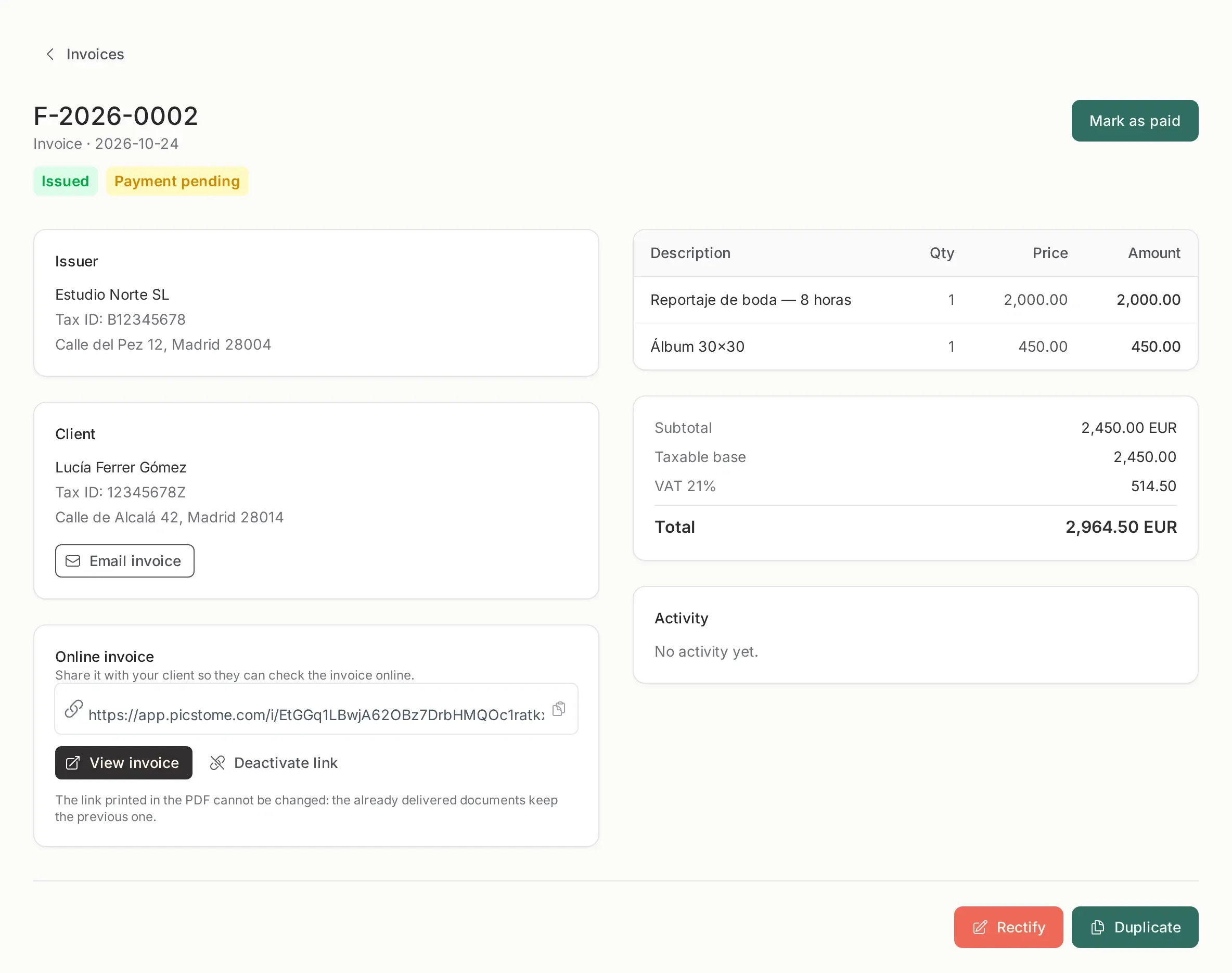
An issued invoice is no longer edited like a draft. From its page you can:
- Send it by email to the client, with the PDF attached and the public link.
- Open the public link to see it the way the client does, or deactivate it when it should no longer be available.
- Download the PDF.
- Mark it as paid (or back to pending) when you get paid outside Picstome. If the payment comes through Stripe, it is marked automatically.
- Duplicate it to prepare next month’s invoice with the same client and lines. The copy starts as a draft and does not copy the number.
- Rectify it if an issued document has a mistake. The original is not modified: you issue a corrective invoice.
The only things editable after issuing are the notes and the payment state. If the change affects amounts, fiscal data or line items, it goes through a corrective invoice.
Draft, issued, paid
Section titled “Draft, issued, paid”Three states, and only one of them is final:
| State | What it means |
|---|---|
| Draft | You are preparing it. No number, no PDF, editable, deletable. |
| Issued | It has a full number and a PDF. It is a document: editing is limited to the notes and the payment state. |
| Paid | The same document with the payment recorded. |
Issuing is the moment that matters. A draft consumes no number, so you can prepare ten drafts and only the ones you issue take a number.
Numbering
Section titled “Numbering”Numbers follow series + year + consecutive, for example F-2026-0001. You configure the series in Invoice settings.
- Drafts do not consume numbers.
- The number is assigned when you issue, in order, with no gaps.
- You can edit the printed number once, at issue time, to match a format you already use (
INV-0042,2026/0042). The internal series/year/consecutive and the verification chain are not affected. - Two series are normal:
Ffor invoices andRfor corrective invoices.
What the client receives
Section titled “What the client receives”An email with a link to a public page, in your branding, with the invoice and a PDF download. No account and no login.
The page can be deactivated. Deactivating it makes the link useless while the invoice stays in your panel.
The legal part
Section titled “The legal part”Every invoice keeps a snapshot of your fiscal data and the client’s at the moment of issue. Changing your address or the client’s data later never rewrites an invoice already issued.
The PDF carries a verification link to a public page with a fingerprint, so anyone can confirm the document has not been altered.
Picstome is not a certified invoicing system (it does not print VERI*FACTU or the AEAT QR). It produces correct invoices; it is not a substitute for a homologated program if the law requires one in your case.
Monthly limit
Section titled “Monthly limit”The free plan includes one invoice per month. Drafts count when they are issued, so a month with only drafts consumes nothing.